Start with Try Demo Song or one mix you want to master. Keep the original audio. Listen at a comfortable level, and compare the same passage after each change.
Hear a first mastering pass
Load one song. Choose Try Demo Song to explore, or Import Audio for your own mix. Confirm the intended song is selected.
Start with a preset. Choose Play Track and B Optimized. Select a preset and follow the Input Gain guide. Make small changes to the mastering controls while listening.
Compare before and after. Switch to A Original, then back to B Optimized. Use Level Match for a closer loudness comparison instead of judging only which version is louder.
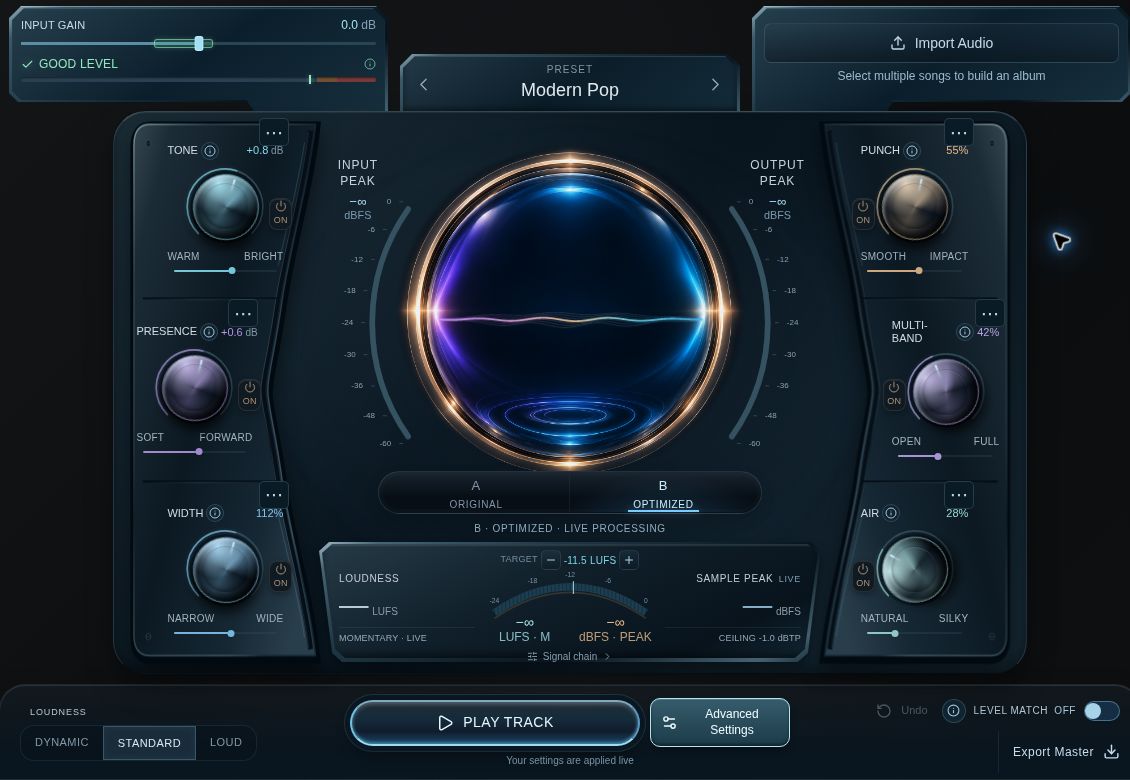
Home: Input Gain and preset are at the top; A/B comparison is in the center; Play Track, Level Match and Export Master are at the bottom. Shown settings are examples.
Save and download the result
Save the browser project. Choose Files > Save Project, name the project and choose Save in this browser. Wait for Saved in this browser.
Keep a portable backup. Choose Download Backup and keep the .optimizer file. Browser saving is local to this browser, not cloud synchronization.
Export the master. Choose Export Master > Current master, select the format, then Download master. Open the file and listen before sharing it.
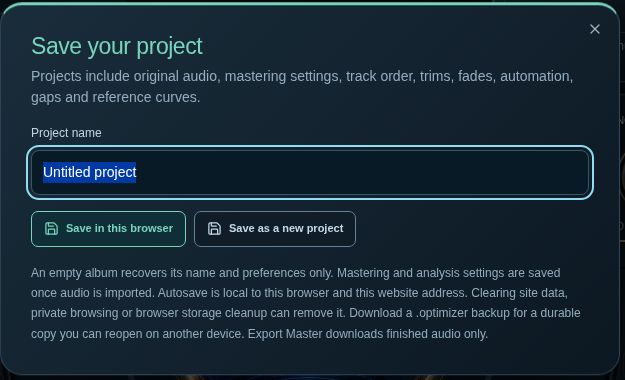
Save Project names the browser copy. Download Backup preserves an editable portable copy.
You are done when
You have auditioned the downloaded master and saved a separate .optimizer backup.
For your own audio
The guide covers mono or stereo songs from 0.4 seconds to 8 minutes, up to 120 MB each. Browser decoding varies.
For the complete workflow, read the User Guide. If playback or keys behave unexpectedly, see Browser Setup & Shortcuts.